
 Czech
Czech  Danish
  German
  Greek
Greek  English (UK)
  English (US)
  Spanish
  French
  Hungarian
  Italian
  Japanese
  Korean
  Norwegian
  Polish
  Portuguese (Brazil)
  Romanian
  Russian
  Serbian
  Swedish
  Turkish
  Ukrainian
  Vietnamese
  Chinese (Simplified)
 PublicParking
5.99 USD
Description
🧩 Add-ons
Add-ons are standalone resources that extend FreeTime_Garage with extra features. They stay inert until the garage has verified them as genuine via a mutual handshake – and then appear automatically as their own tab in the admin panel (including their settings).
Concept
- ▪Each add-on is a separate resource – install it or leave it out, exactly as needed.
- ▪Anti-spoof handshake (server↔server): the add-on registers with the garage; both sides verify each other via an HMAC challenge-response. Without a genuine garage, the add-on stays non-functional.
- ▪Self-registration: if the garage is restarted, active add-ons re-register on their own (self-healing poll) – a fresh
ensure FreeTime_Garageis enough. - ▪If the add-on stops → its feature/tab disappears cleanly.
Installation
- 1.Place the add-on folder in
resources. - 2.Start it after FreeTime_Garage in
server.cfg:
ensure FreeTime_Garage
ensure FreeTime_Garage_VehicleTheft
ensure FreeTime_Garage_PublicParking
Do NOT add a dependency 'FreeTime_Garage' to the add-on's fxmanifest.lua! A hard dependency makes FiveM force-stop the add-on the moment the garage stops or restarts – the dead add-on then can't re-register itself. The add-on waits for the garage on its own and registers automatically. The bundled add-ons are already configured correctly; just don't add that line if you build your own manifests.
- 1.Done – the add-on appears in the admin panel under Add-Ons with its settings.
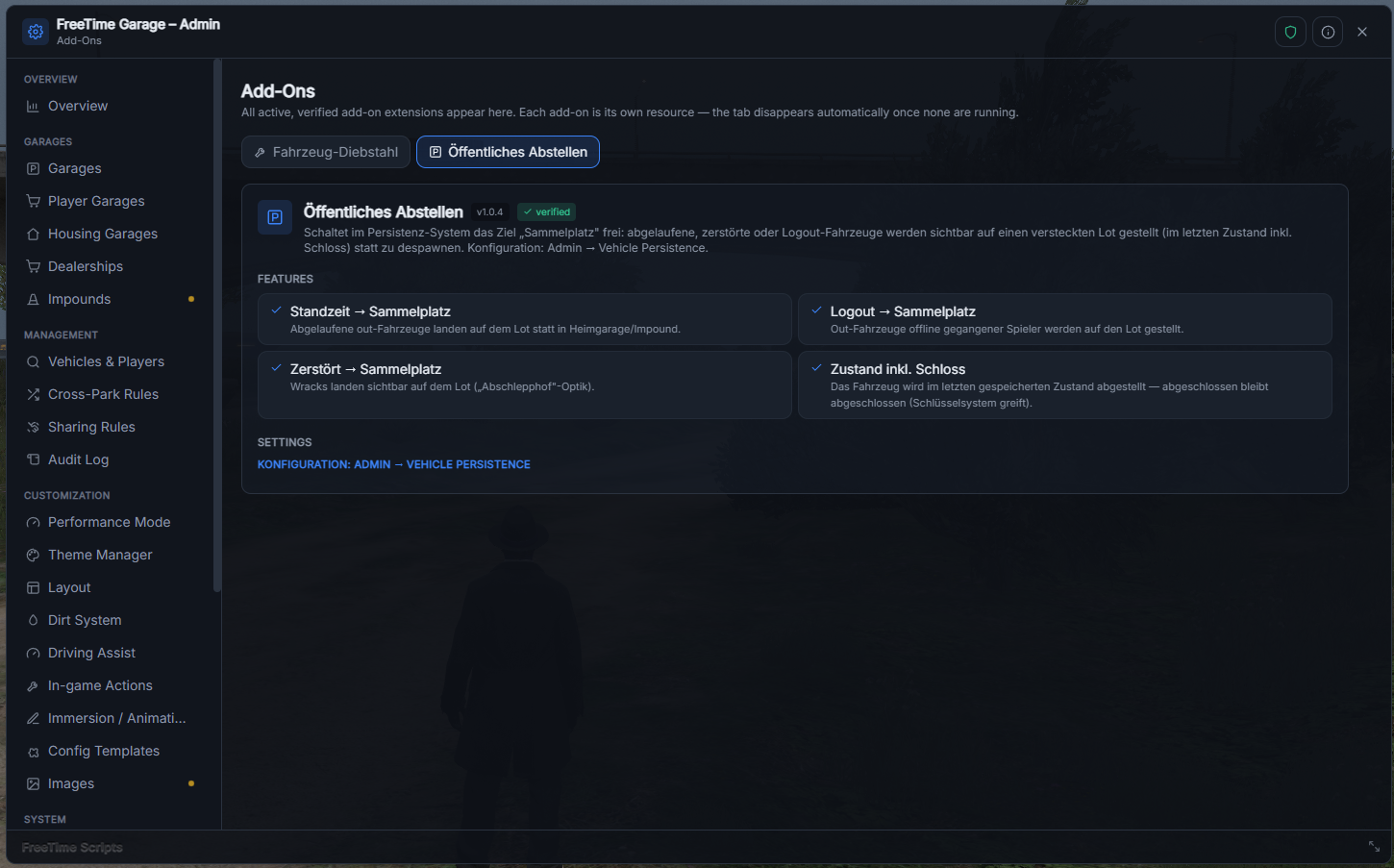
🅿️ FreeTime_Garage_PublicParking
"Public parking": instead of letting a vehicle despawn (lifetime/logout/destroyed), it is parked visibly in a hidden lot – in its last state including the lock.
- ▪A thin "switch": it unlocks the "public lot" target in the garage's persistence system.
- ▪A separate lot is selectable per trigger; optional owner notification + map blip.
- ▪Configured in the persistence tab of the admin panel.
Management in the admin panel
As soon as at least one add-on is active, the Add-Ons nav group appears (with a count badge). Each add-on gets its own sub-tab with its features and settings. Changes are pushed to the add-on live.
In the server console, /ft_addons lists all currently active add-ons.
Add-on not registering? In 99% of cases it's a dependency 'FreeTime_Garage' in the add-on manifest (see above) or a wrong start order. More on that in FAQ & Troubleshooting.
Recent Payments
-

FaultNode - TrafficManager
12th Sep 26 -
FaultNode - VehiclePush
15th Aug 26 -
FaultNode - VehicleManager
7th Aug 26 -
FaultNode - Campfire
3rd Aug 26 -
FaultNode - FreeTime Garage
27th Jul 26

No-Refund-Policy
⚠️ Attention
Digital content is made available immediately after purchase.
By completing the purchase, you expressly agree that the content is provided before the withdrawal period expires and that your right of withdrawal under EU Directive 2011/83/EU ceases to apply.
Therefore, we cannot offer refunds.
For full details, please refer to our Terms & Conditions.